Everything a studio runs on.
From the first enquiry to the final invoice, every screen below is the real workspace, with sample data. Nothing is a render, nothing is coming soon unless we say so.
It opens on today.
What needs you, in order of urgency: an overdue installment, a questionnaire half done, a contract still waiting. Four numbers for the year and the shoots of the next thirty days, on one screen.
- Your to-dos sorted by urgency, the overdue ones in red
- Revenue, active bookings, unsigned contracts, late payments
- The next 30 days of weddings and sessions
- A bell and an email the moment a couple signs or pays

One record per couple. One page per job.
The wedding now, the family session five years later: one client, many bookings. Every booking has its own record, with the couple's choices, the day, the crew, the suppliers, the contract and the payments side by side.
- Filter by status, type of service and year
- See at a glance who has signed and how far the questionnaire is
- Where every enquiry came from, and the budget they gave you
- Archive a client, or delete them for good

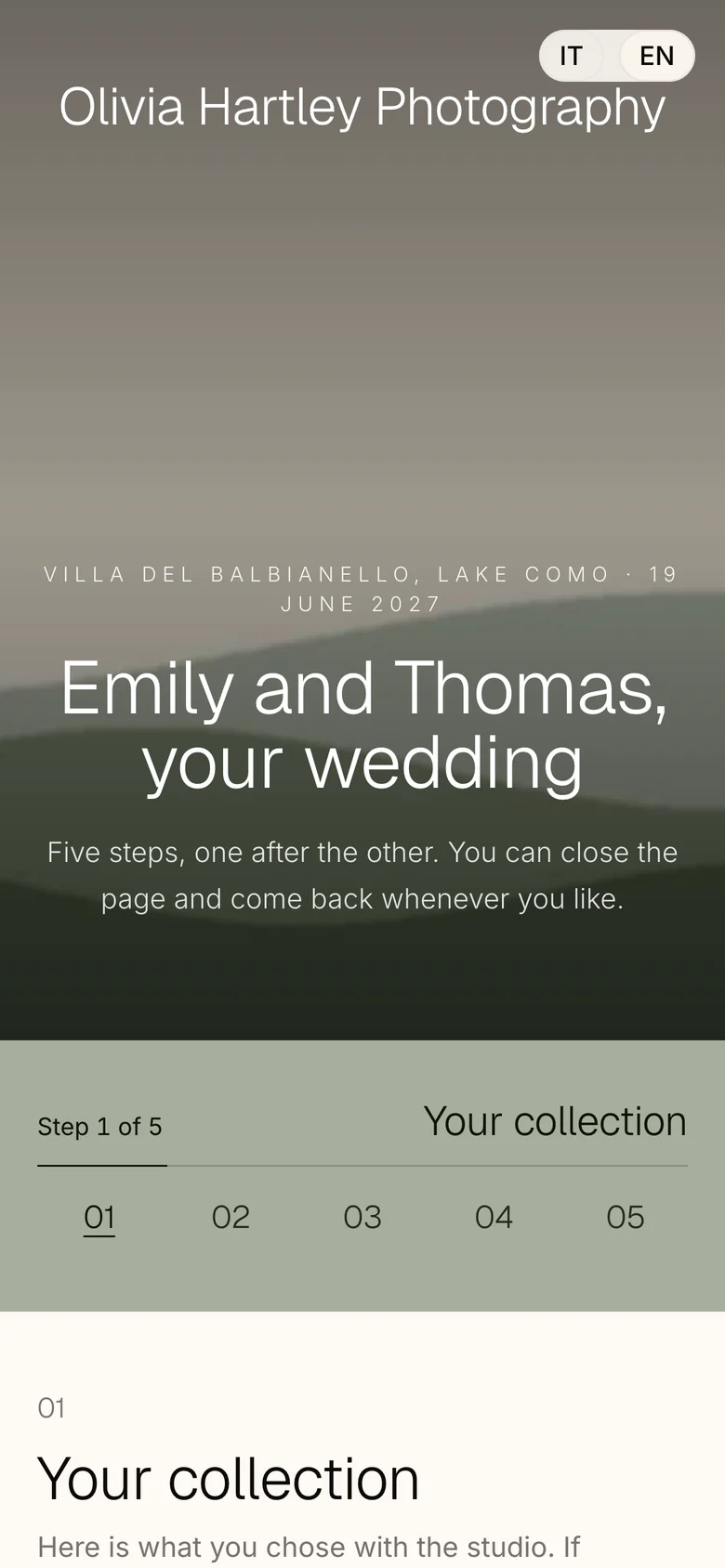
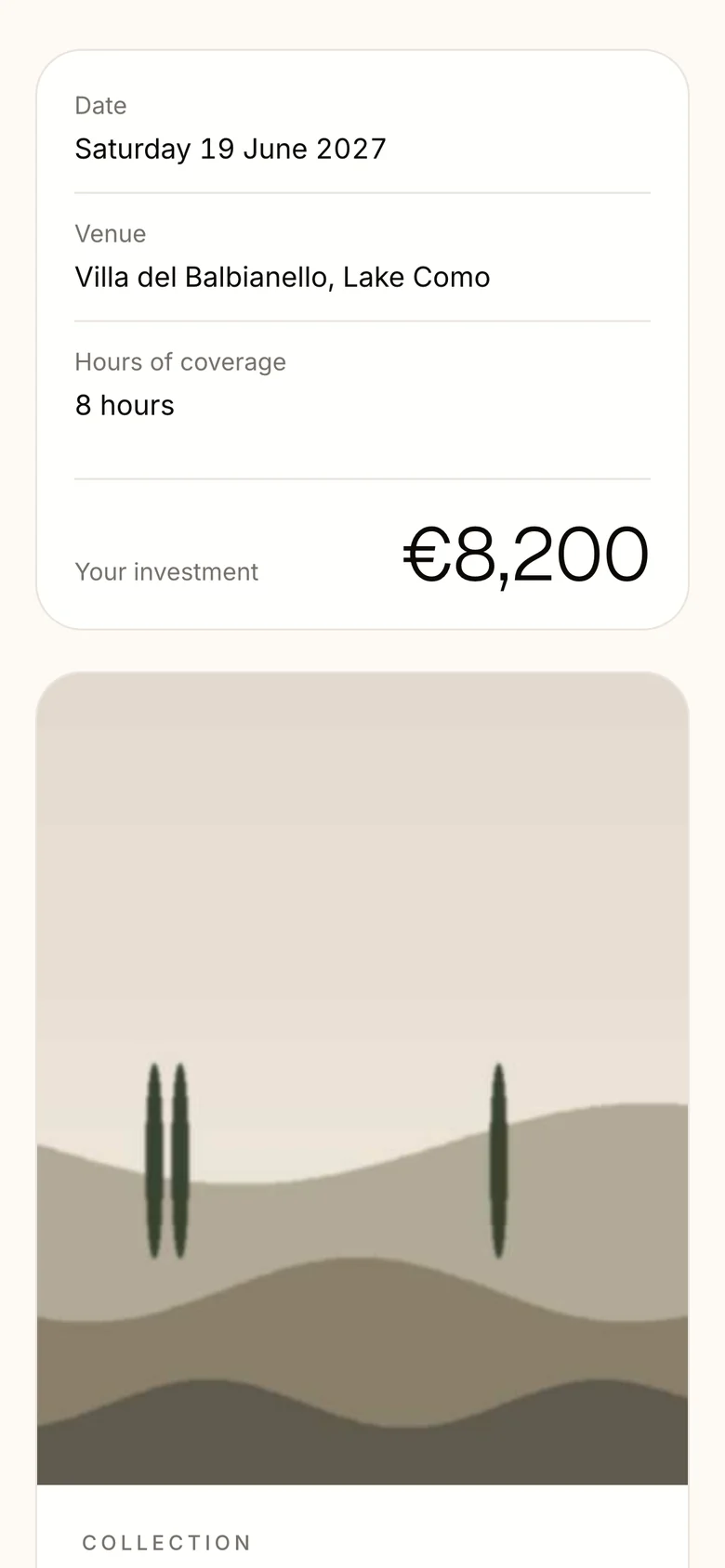
One link. Five steps. No logins.
Your couple opens one link on their phone: the collection they chose, their details, your contract in full, the signature with a code sent by email, the retainer. With your photos and in their language.
- Your contract, your words, signed online
- Confirmation code by email, the signed PDF filed for you
- They can close the page and come back where they left off
- English and Italian today, more languages next
After the signature, a place of their own.
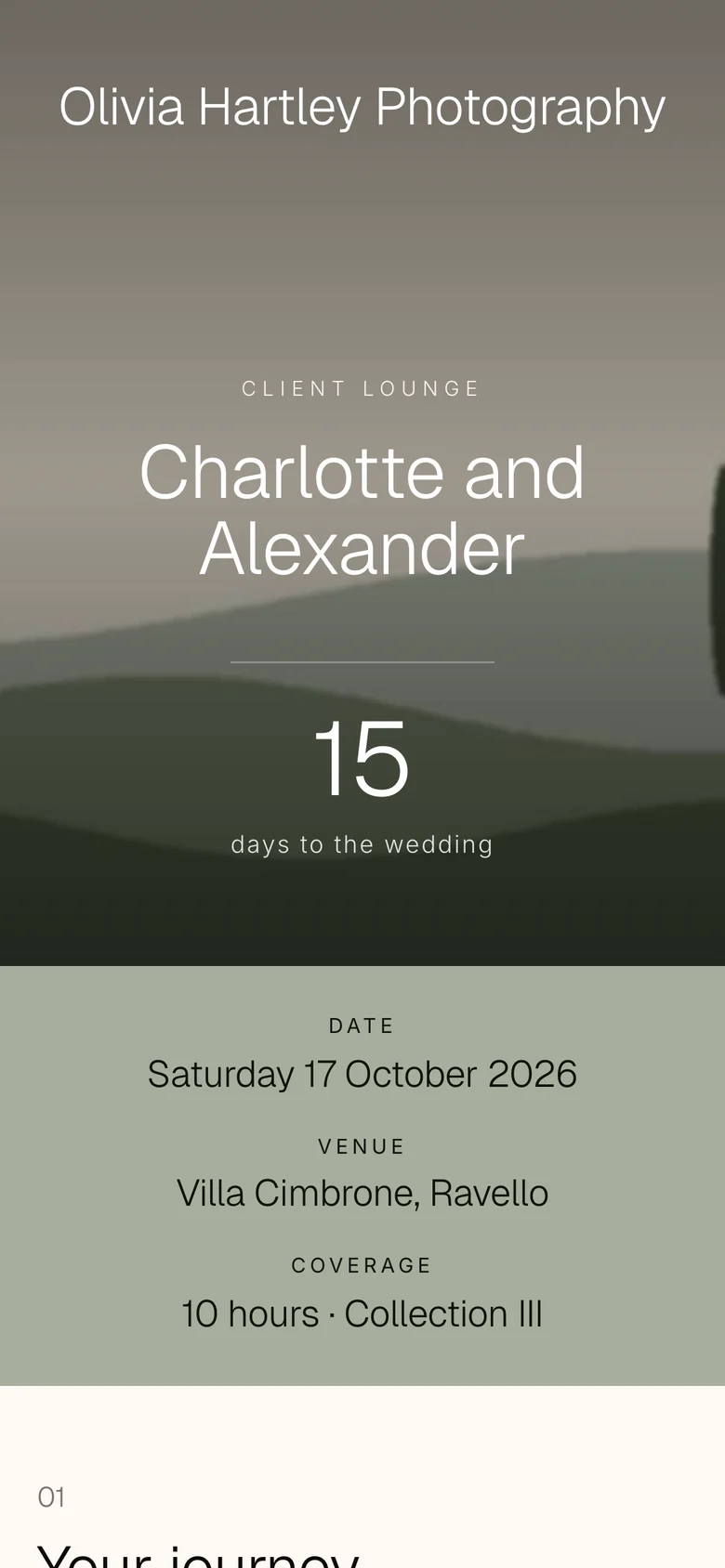
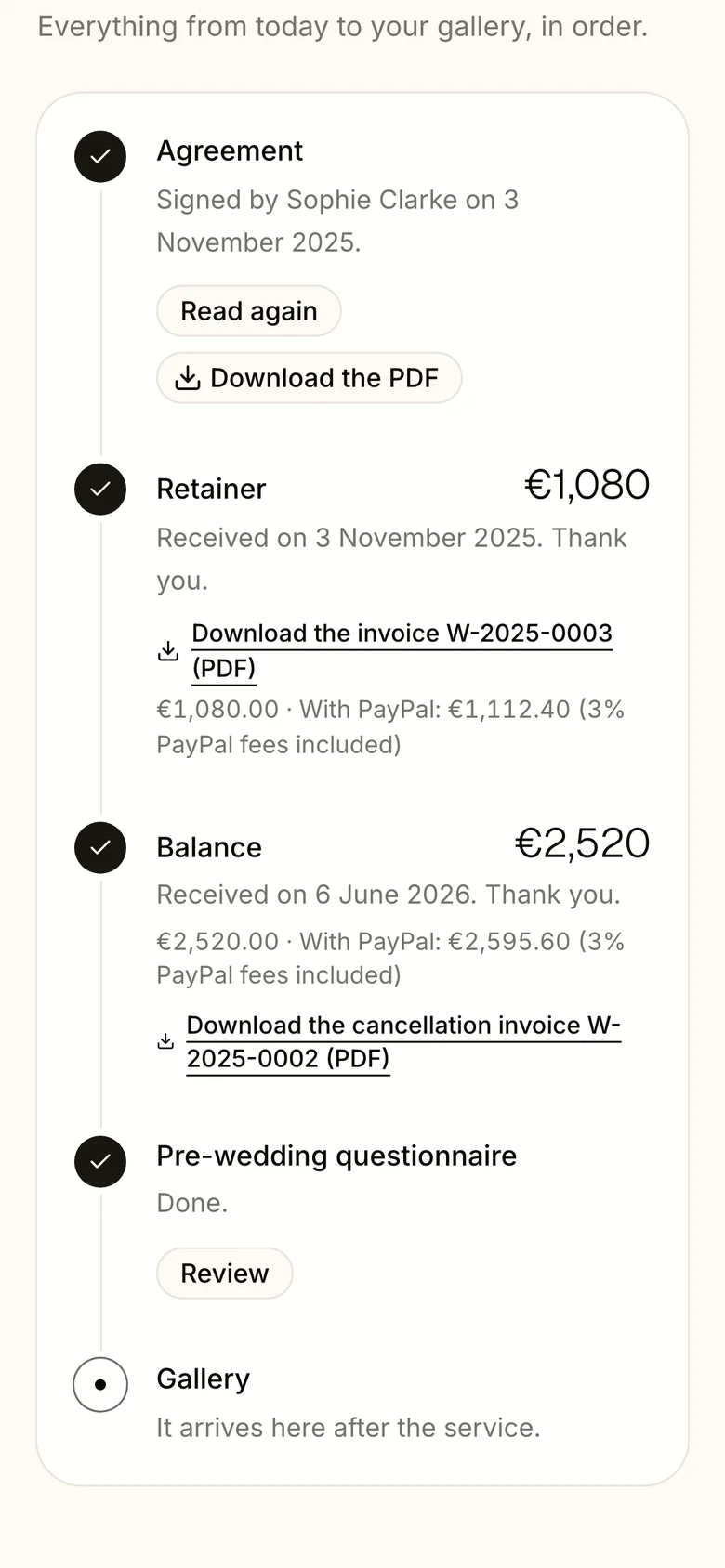
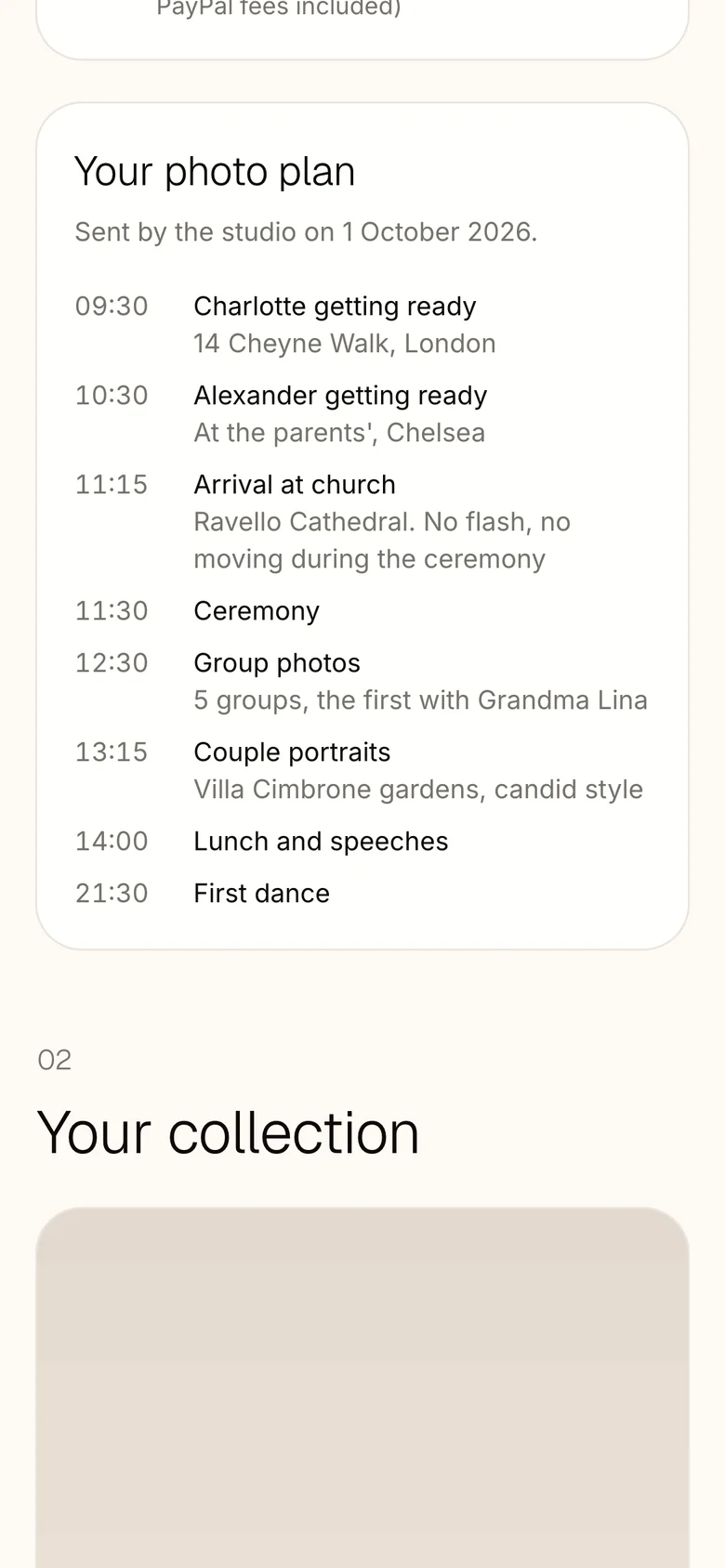
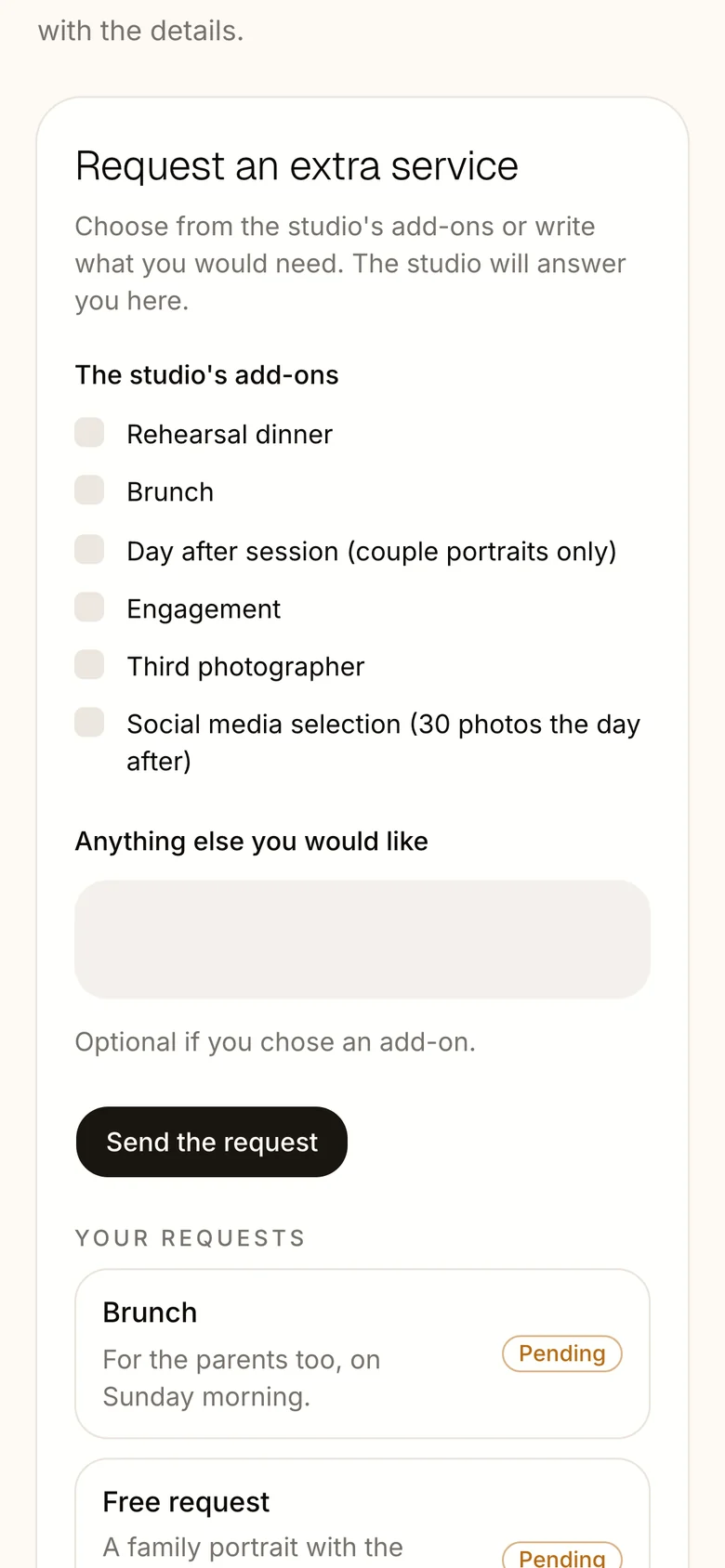
The link they signed with becomes their Client Lounge: a countdown to the day, everything in the order it happens, the photo plan, and a way to ask for more. They stop emailing you to ask where things are.
- Their journey in order: agreement, payments, questionnaire, gallery
- Every payment with its invoice, ready to download
- The photo plan of the day, built from their answers
- An extra hour or an album: they ask, you accept with one tap

Your studio, in your own style.
Every page your couples open carries your studio: your logo, the heading font you use on your website, the colour of the steps band and your cover photos. Change it once in Settings and every contract, questionnaire and Client Lounge follows.
- Your logo at the top of every client page
- Upload your own heading font: WOFF2, WOFF, TTF or OTF
- The steps band in your colour, or the page colour
- Cover photos from your investment guide, or your defaults

Paid the way they like. No fees from us.
Set the installments once, with the method for each one: the retainer by card, the day in cash, the balance by transfer. Reminders go out before every due date, and you see what's in and what's late.
- Installments tied to the signature, the wedding and the delivery
- Methods chosen installment by installment
- Card payments recorded automatically through Stripe
- The gallery before the balance, the download after it
Card
Through your own Stripe account. Paid installments mark themselves as paid.
Bank transfer
Your bank details, the reference to use and the amount, on every installment.
PayPal
With an optional surcharge to cover its fees, shown before they pay.
Bitcoin
At the day's rate, with a QR code and an address check before they send.
Cash
On the day, recorded in one tap, with a warning above your country's cash limit.
Invoices that write themselves.
Record a payment, or let Stripe record it, and the invoice is ready as a draft: advance invoices before the wedding, the final one after, with the advances deducted. Issue it with one click. From then on it never changes.
- Your series and numbering, like W-2026-0001: no gaps, no duplicates
- An e-invoice inside every PDF (Factur-X / ZUGFeRD, EN 16931)
- Corrections only with a cancellation invoice, as the law asks
- Upload one made elsewhere, or mark a payment as no invoice
- Ask me first, or send automatically: you choose

Ready to send. Sent when you say.
Welcome, reminders to sign and to pay, the questionnaire a few weeks before, the thank-you after the gallery. Every step is timed on the wedding date and waits in To approve: edit it, discard it, or let it go out on its own.
- Sequences for weddings and for new enquiries
- Drafts written with AI are marked as such
- Signing codes and receipts always go out at once
- Plain emails from your studio that land in the inbox, not in Promotions

Every date. Every new enquiry.
Weddings, sessions and appointments on one calendar. Put the contact form on your own website: every enquiry arrives as a booking marked New enquiry, with a confirmation email to the couple and a note to you.
- Confirmed, in discussion and appointments, each at a glance
- A contact form in your colours, with the fields you choose
- One line of code to paste into your website
- How did you find us? Asked, counted, and shown in your numbers

Know what every wedding really earns.
Your contracts already hold the price. Add what each job costs you, second shooters, assistants, video, and see the margin of every booking, every month, every year, along with what you owe your team and by when.
- Payments month by month, received and still expected
- Margin by booking, month, type and who shoots
- Your crew with roles and default fees
- The VAT to set aside, estimated as the year goes

Plug your own AI into your studio.
Claude, ChatGPT or your own tools can read and run your studio in plain words, through our MCP server and a documented API. They work with the same rules you do: anything that reaches a client waits for your yes, and every action is logged.
- Connect an assistant in three steps, no keys to paste
- API keys with their own permissions and expiry
- OpenAPI documentation generated from the workspace itself
- Revoke any connection in one click

Yours. And you can take it with you.
Export the whole studio in one ZIP whenever you like: every client, booking, contract, payment and invoice as JSON and CSV, with all the PDFs and photos. When a couple asks for their data, export just theirs in one click.
- The full studio export, ready by email, kept encrypted for 7 days
- One client's data as a readable PDF and JSON (GDPR Art. 15 and 20)
- Never your secrets: passwords and keys stay inside
- Hosted in Germany, by a company in Germany

See it with your own studio.
We're opening studios a few at a time during early access. Save your place, and we'll help you bring your clients over from 17hats or a spreadsheet.